Your local dev servers, one URL away
PortZero assigns stable <name>.localhost URLs to your dev servers, captures all HTTP traffic for inspection, and provides replay, mocking & network simulation -- all from a single binary.
brew install portzero-dev/tap/portzerocurl -fsSL https://goport0.dev/install.sh | bashSee it in action
A native desktop app for managing your local dev environment. Inspect traffic, create mocks, and monitor apps.
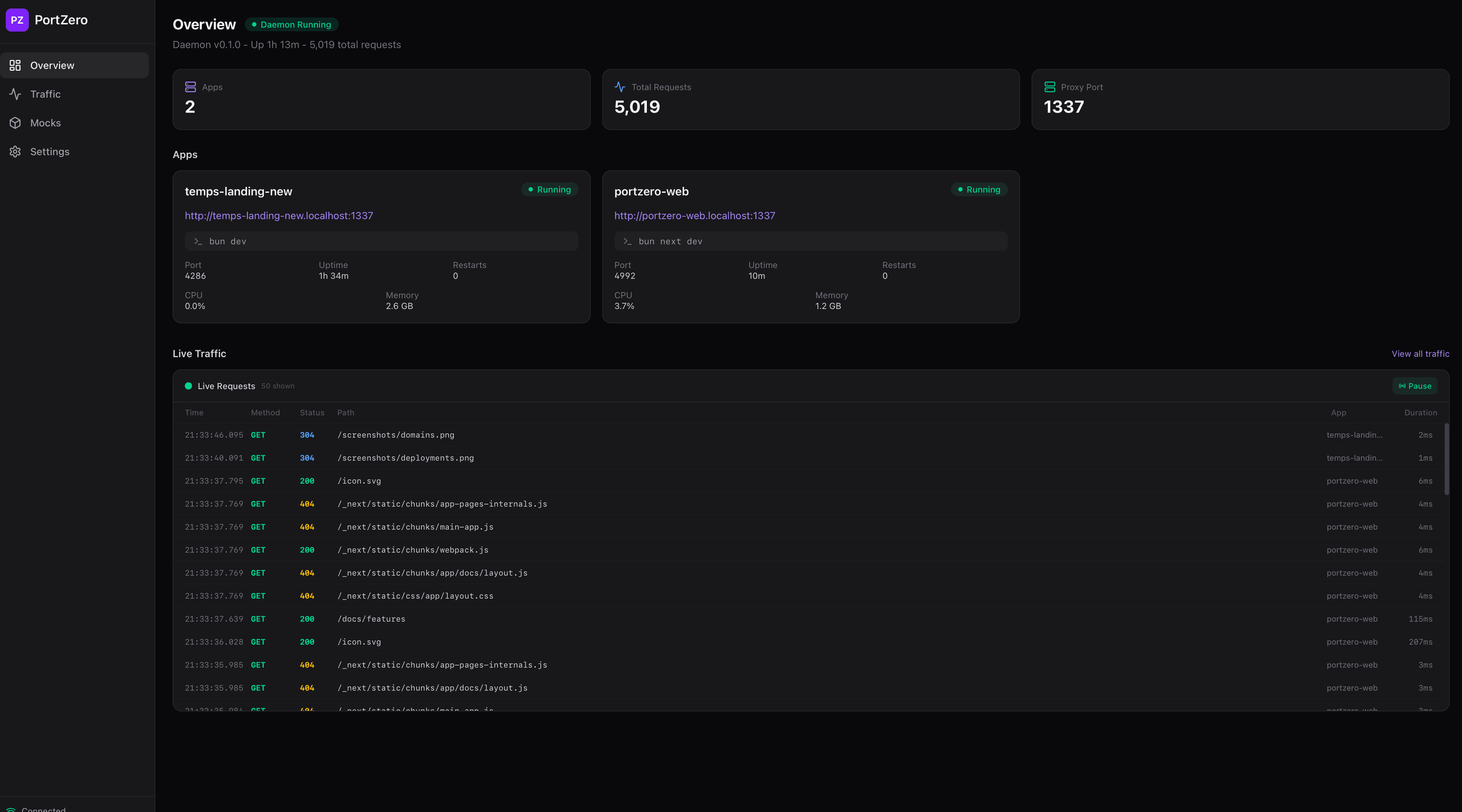
Dashboard Overview
See all running apps at a glance with port, uptime, CPU, memory stats and a live traffic feed.
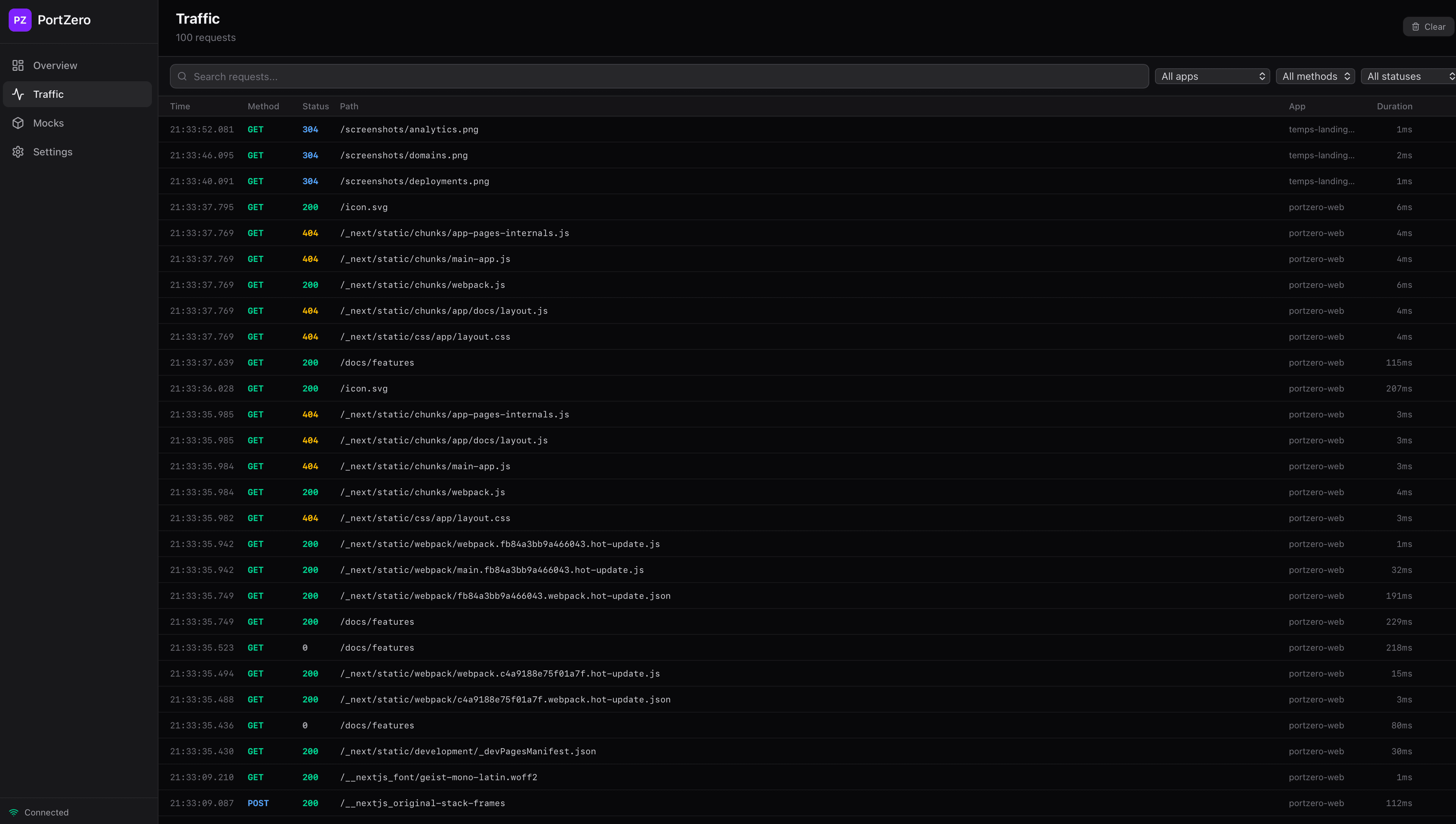
Traffic Inspector
Browse, filter, and search every HTTP request flowing through the proxy. Filter by app, method, or status.
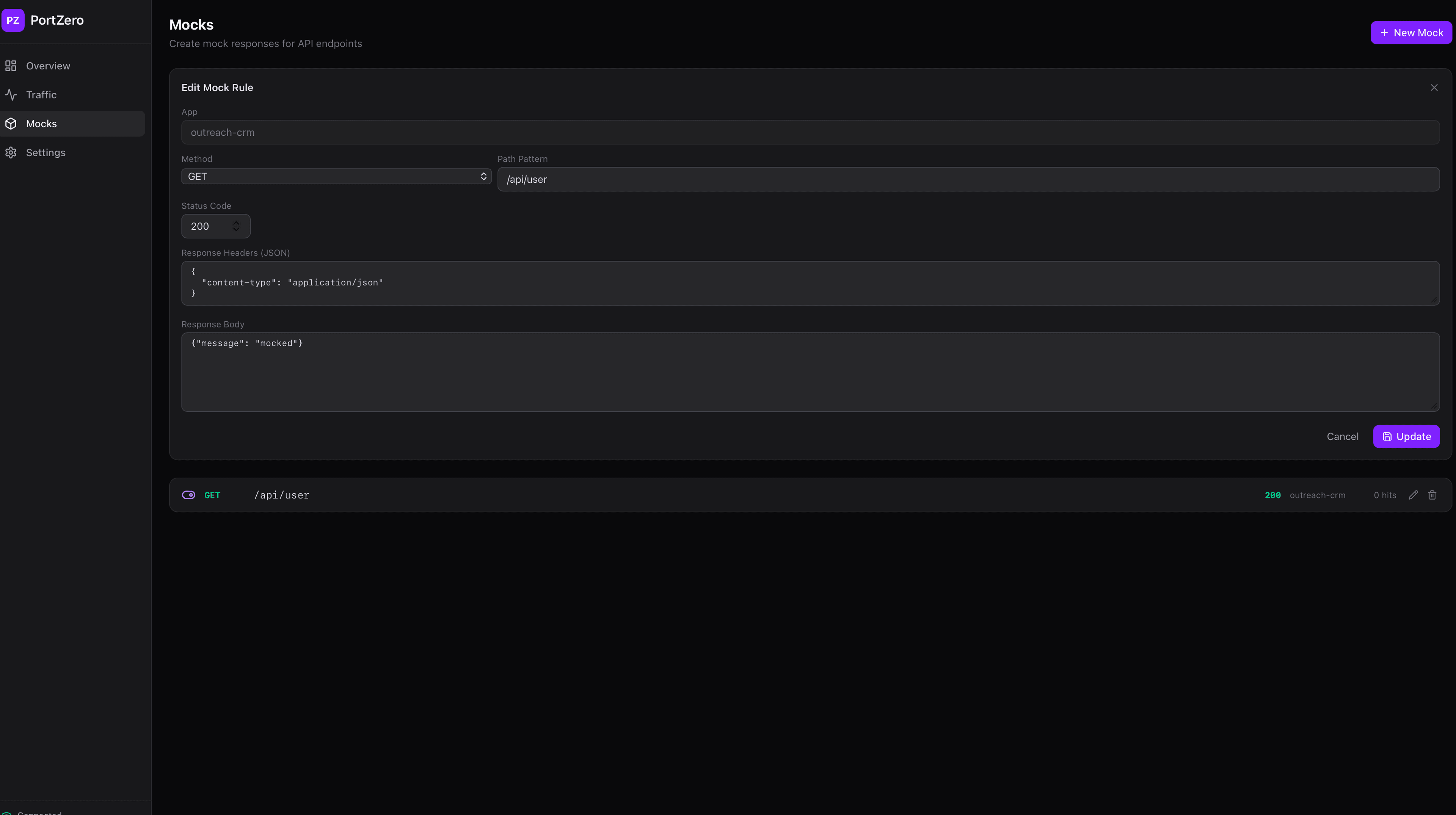
Response Mocking
Create and manage mock responses directly from the desktop app. Set method, path, status, headers, and body.
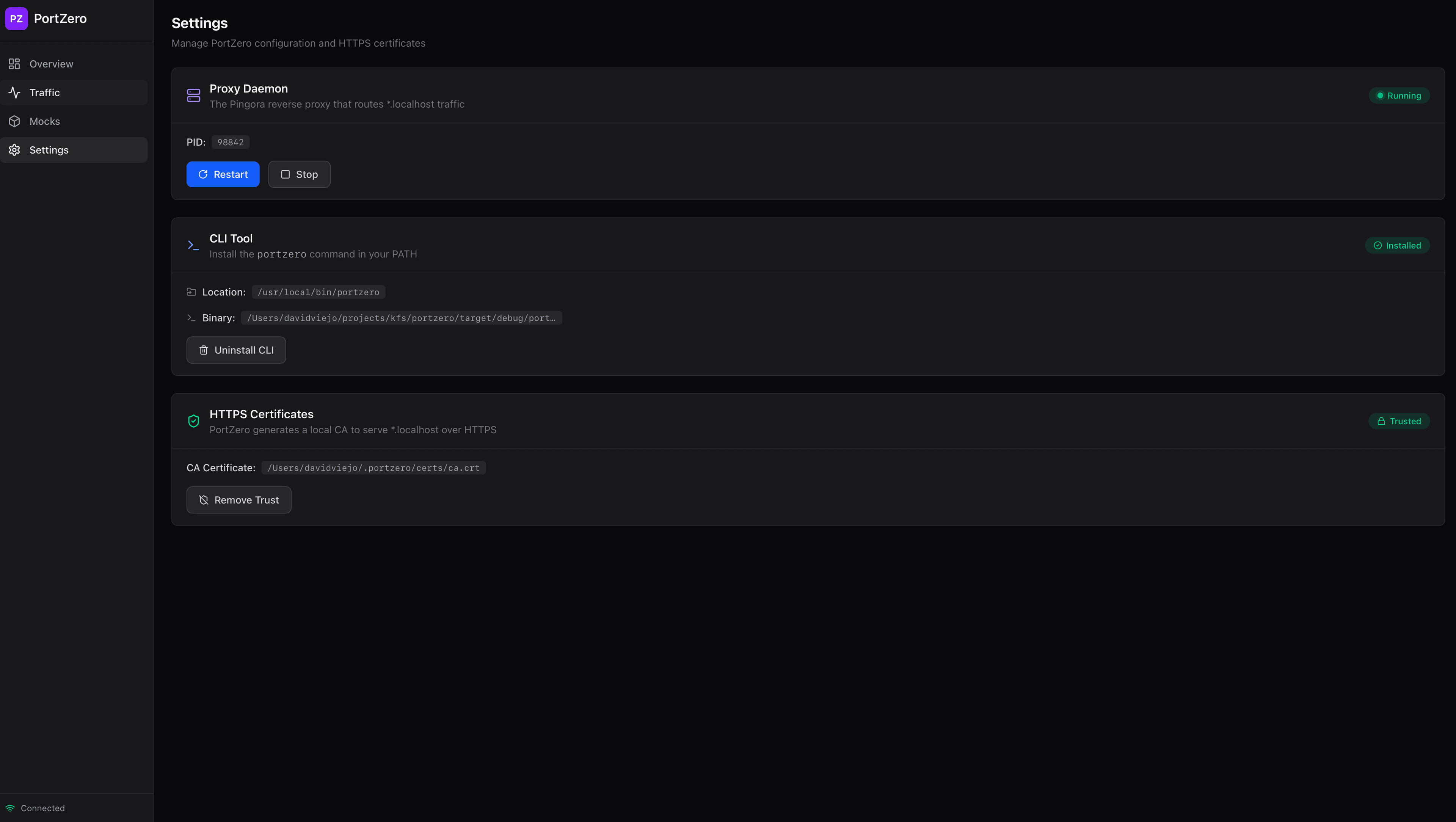
Settings
Manage the proxy daemon, install the CLI tool, and trust HTTPS certificates -- all from one place.
Everything you need for local dev
A single binary that replaces half your dev toolbox. Built in Rust for speed.
Reverse Proxy
Route <app>.localhost to local ports via Cloudflare Pingora. HTTP/1, HTTP/2, and WebSocket support out of the box.
Traffic Inspector
Full request/response capture with filtering, search, and SQLite persistence. Never miss a request again.
Request Replay
One-click re-send of captured requests with optional overrides. Side-by-side diff between original and replayed.
Response Mocking
Per-route synthetic responses without hitting upstream. Create mock rules via the desktop app or CLI.
Network Simulation
Inject latency, jitter, packet loss, and bandwidth throttling per-app. Test how your app handles degraded networks.
Process Manager
Spawn, monitor, and auto-restart child processes with deterministic port assignment and live log streaming.
Public Tunnels
Coming soon -- Expose local apps to the internet with a single command. QUIC, WebSocket, and H2 transport.
Desktop App
Native Tauri v2 dashboard with system tray. Manage apps, inspect traffic, create mocks, and simulate networks.
Up and running in seconds
Install, run, inspect. No configuration required.
Install
curl -fsSL https://goport0.dev/install.sh | bashRun your app
portzero next devInspect traffic
# Open http://my-app.localhost:1337Or run multiple apps from a config file
[proxy]
port = 1337
https = true

[apps.web]
command = "pnpm dev"
cwd = "./apps/web"

[apps.api]
command = "cargo run"
subdomain = "api"
Powerful CLI, zero config
Every feature is accessible from the command line. Run apps, manage the daemon, tail logs, and more -- all with simple commands.
Read the full CLI reference# Run and manage apps $ portzero next dev $ portzero my-api cargo run $ portzero list $ portzero logs my-app -f # Multi-app from config $ portzero up $ portzero down # Daemon management $ portzero start -d $ portzero status
Download the Desktop App
A native app for managing apps, inspecting traffic, creating mocks, and simulating networks. Built with Tauri v2.
Windows support coming soon. View all releases on GitHub
Ready to simplify your local dev?
Install PortZero and get stable URLs, traffic inspection, and more in under a minute.