Desktop App
PortZero includes a native desktop application built with Tauri v2 and React 19. It provides a graphical interface for all PortZero features and is the recommended way to manage mocks, network simulation, and traffic inspection.
Dashboard
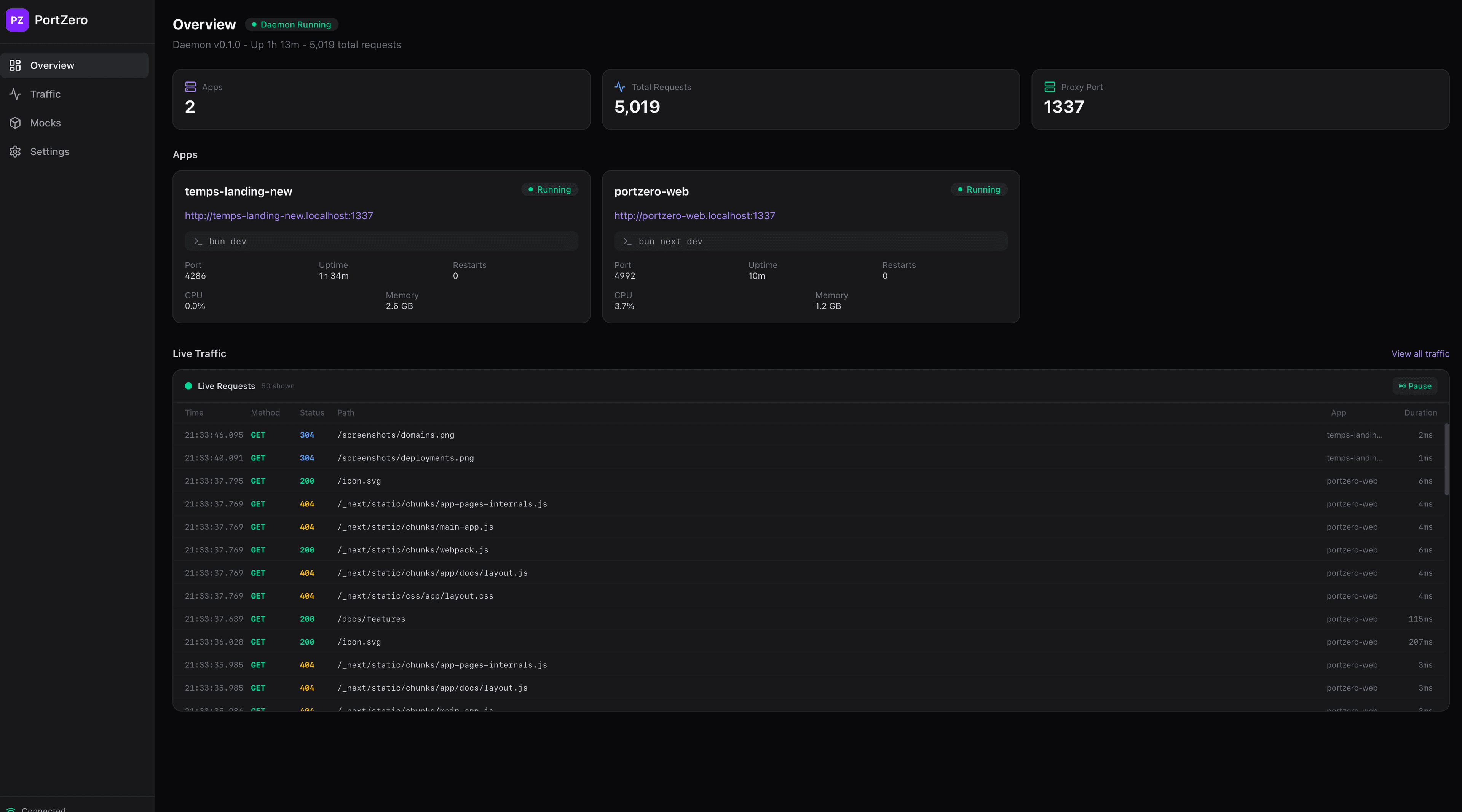
The main dashboard shows all running apps at a glance with live stats including port, uptime, CPU, and memory usage. A live traffic feed streams requests as they flow through the proxy.
Traffic Inspector
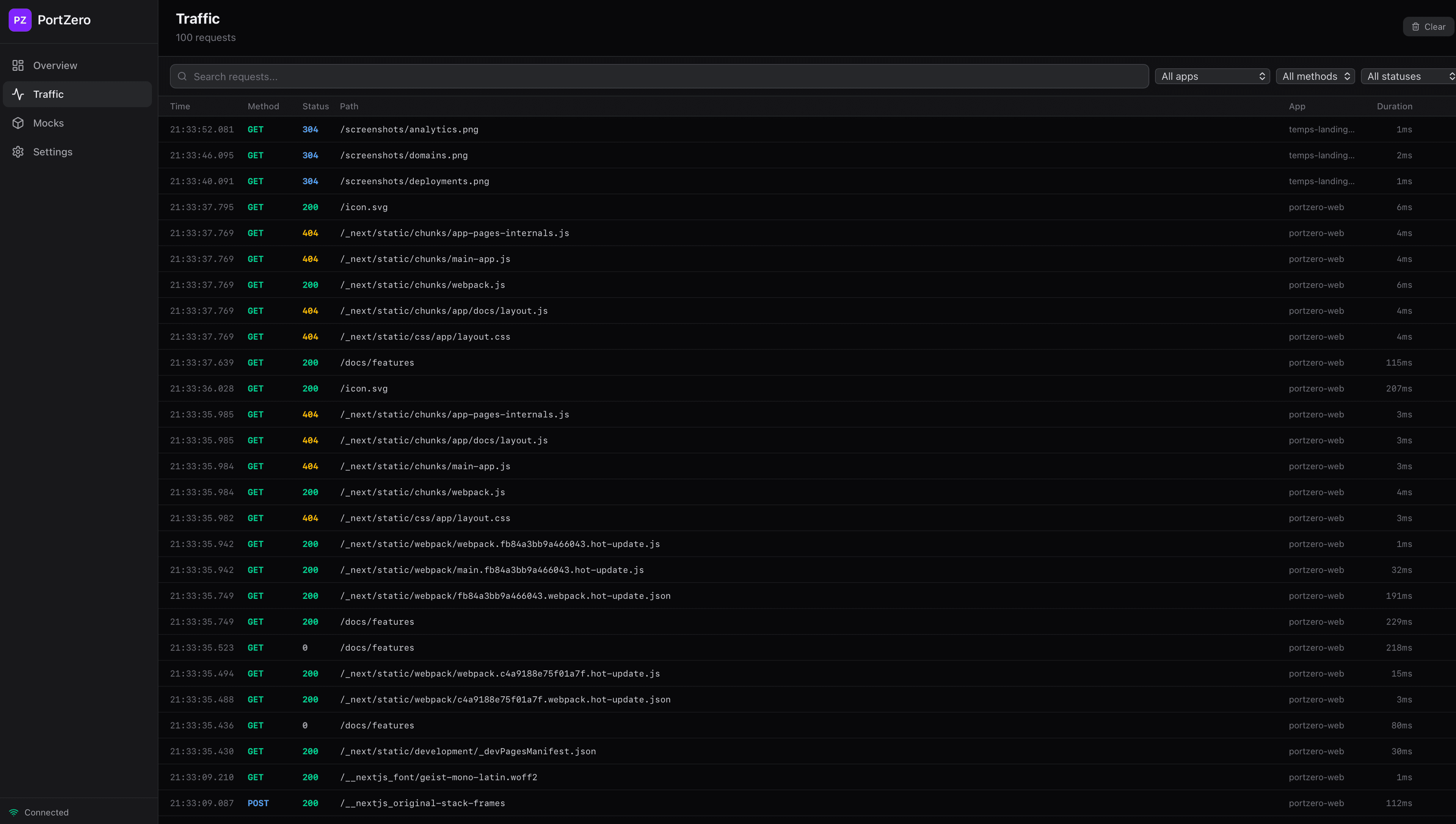
Browse, filter, and search every HTTP request flowing through the proxy. Click any request to see full headers and body with syntax highlighting. Replay requests with one click, and compare responses side-by-side with the built-in diff viewer.
Response Mocking
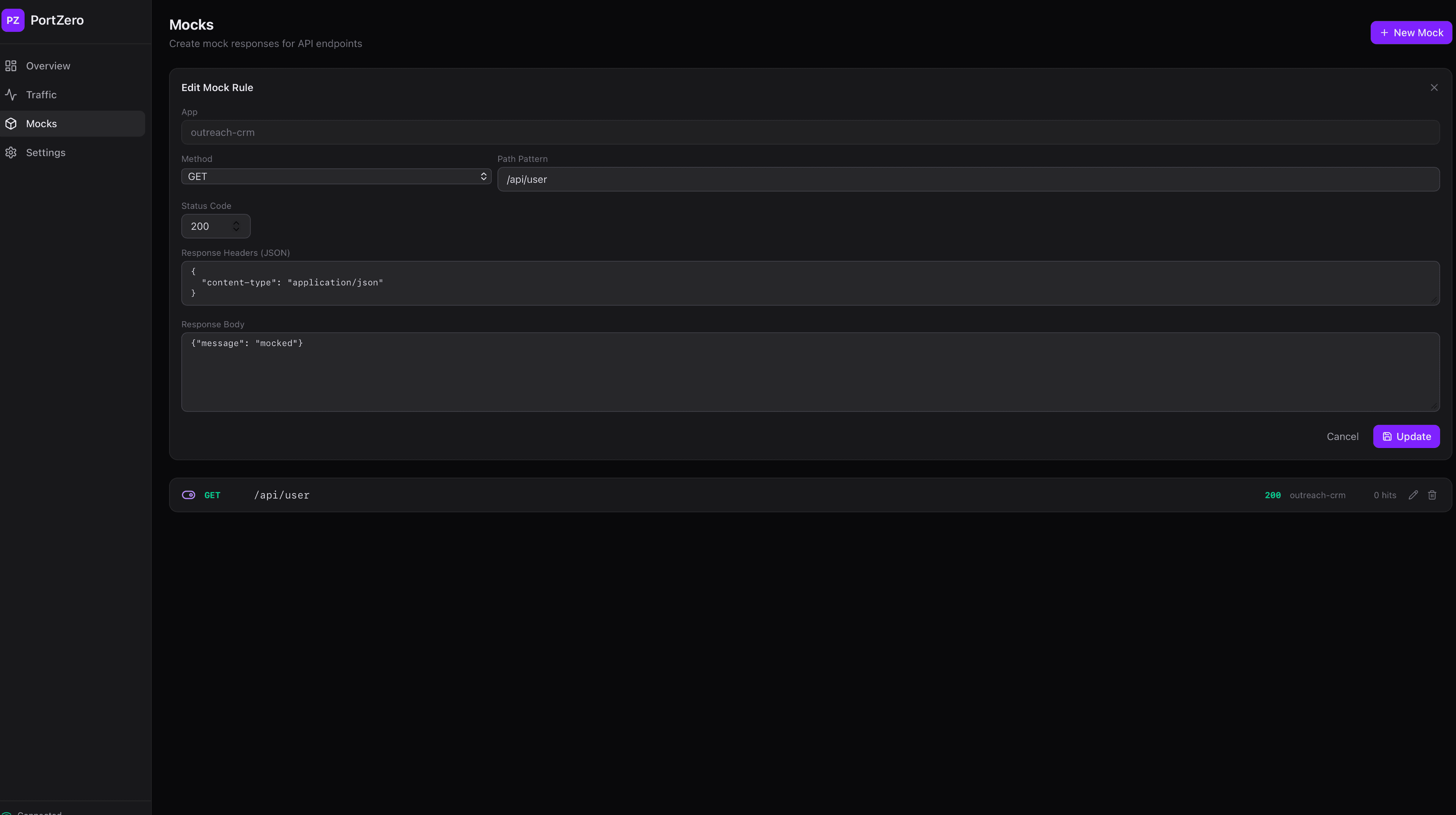
Create and manage mock responses directly from the desktop app. Set the HTTP method, path pattern, status code, response headers, and body. Mock rules can be enabled, disabled, or deleted at any time.
Settings
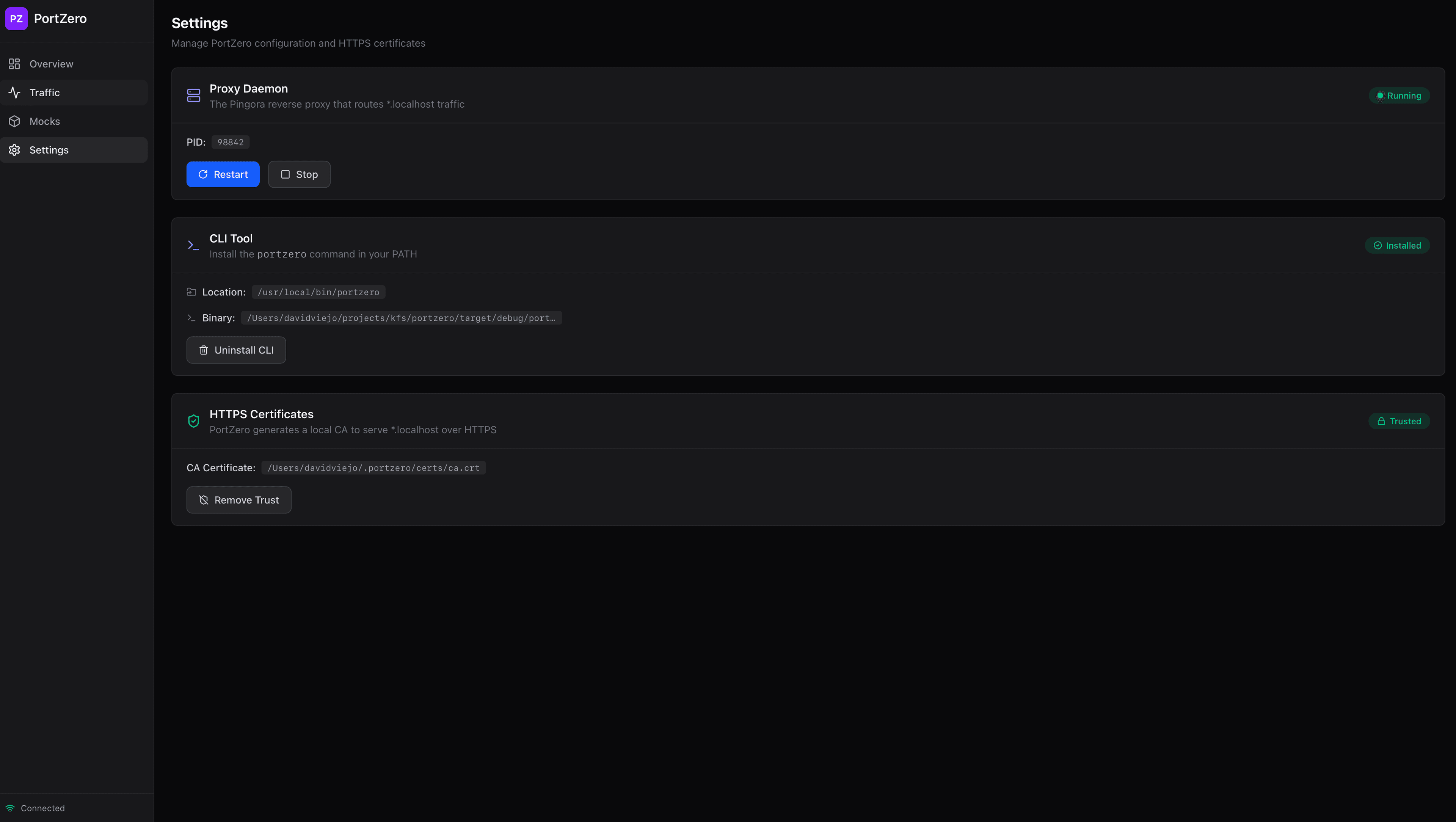
Manage the proxy daemon, install the CLI tool, and trust HTTPS certificates -- all from one place. The settings page also shows the daemon status and log output.
All features
- Overview dashboard -- See all running apps at a glance with live stats
- Traffic inspector -- Browse, filter, and search captured requests
- Request detail -- Full headers and body with syntax highlighting
- Request replay -- One-click re-send with diff view
- Mock rules -- Create, edit, and toggle mock responses
- Network simulation -- Sliders for latency, jitter, loss, and bandwidth per-app
- Live logs -- Per-app log streaming in the dashboard
- API schema -- View inferred OpenAPI schemas
- System tray -- Quick access from the menu bar
Building from source
# Prerequisites
# - Rust 1.75+
# - Node.js 18+ and pnpm

# Install frontend dependencies
cd apps/desktop
pnpm install

# Development mode
pnpm tauri dev

# Production build
pnpm tauri build
Web dashboard fallback
If you don't want to install the desktop app, PortZero also serves the same dashboard as an embedded web app at:
http://_portzero.localhost:1337This works in any browser and provides the same functionality as the desktop app, except for system tray integration and deep links.
Deep links
The desktop app registers the portzero:// URL scheme. This allows other tools to open the dashboard directly to a specific view:
portzero://apps/my-app       # Open app detail
portzero://traffic/abc123   # Open request detail