Features
PortZero includes a comprehensive set of dev tools beyond basic reverse proxying. Most features are accessible both through the desktop app and the CLI.
Traffic Inspector
Every HTTP request and response passing through PortZero is captured and stored in SQLite (WAL mode for performance). You can inspect traffic through the desktop app or the REST API.
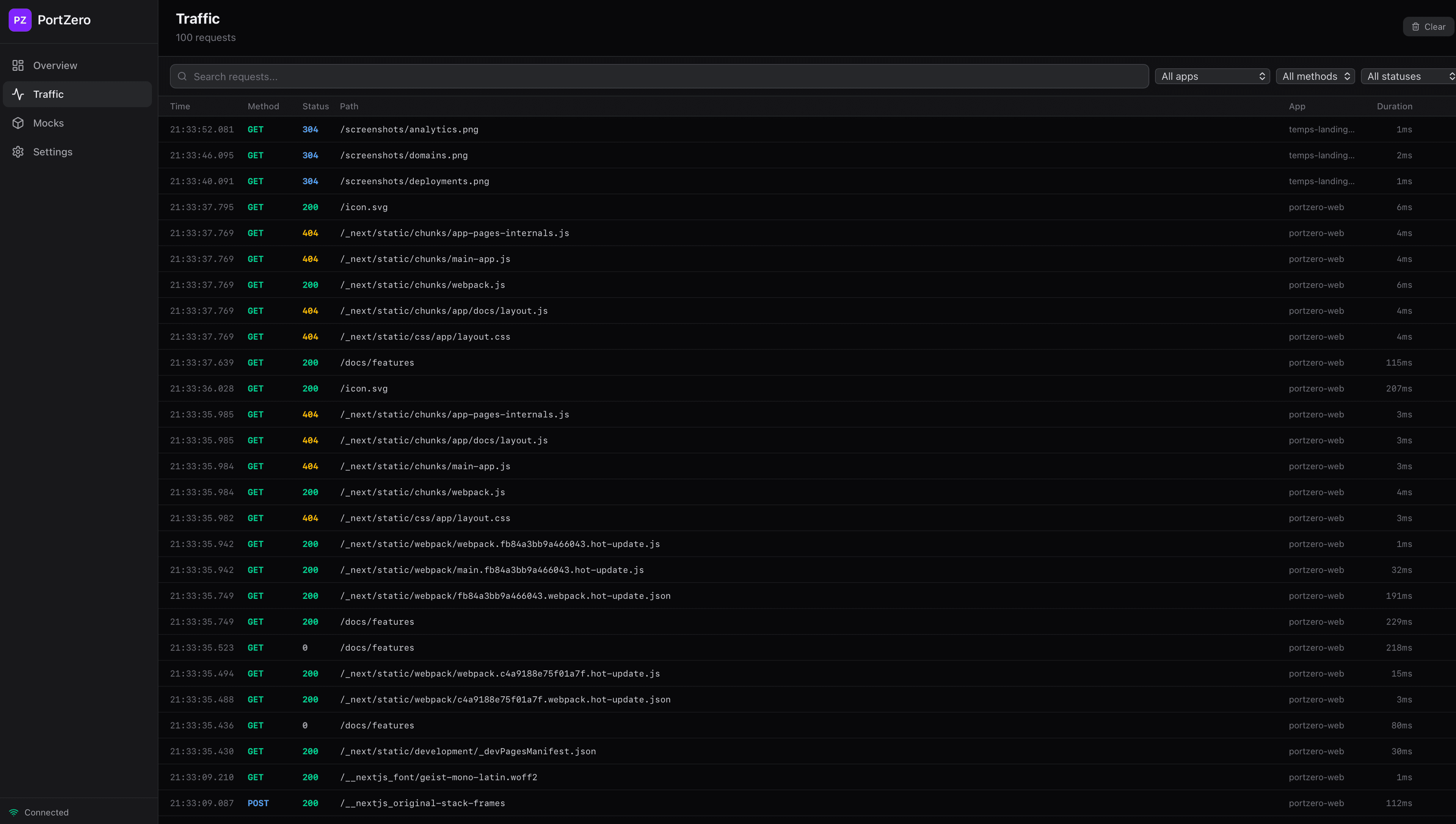
- Full request/response headers and bodies
- Filter by app, status code, HTTP method, path, or full-text search
- Persistent storage across daemon restarts
- Real-time streaming via WebSocket
Request Replay
Re-send any captured request with a single click in the desktop app or via the API. You can optionally override headers, body, or URL before replaying.
POST /api/requests/:id/replayThe replayed response is captured alongside the original, and you can use the diff viewer to compare them side-by-side.
Response Mocking
Create synthetic responses for specific routes without hitting the upstream server. Useful for testing error states, edge cases, or when the backend is unavailable.
The easiest way to manage mocks is through the desktop app, where you can create, edit, enable/disable, and delete mock rules with a visual editor:
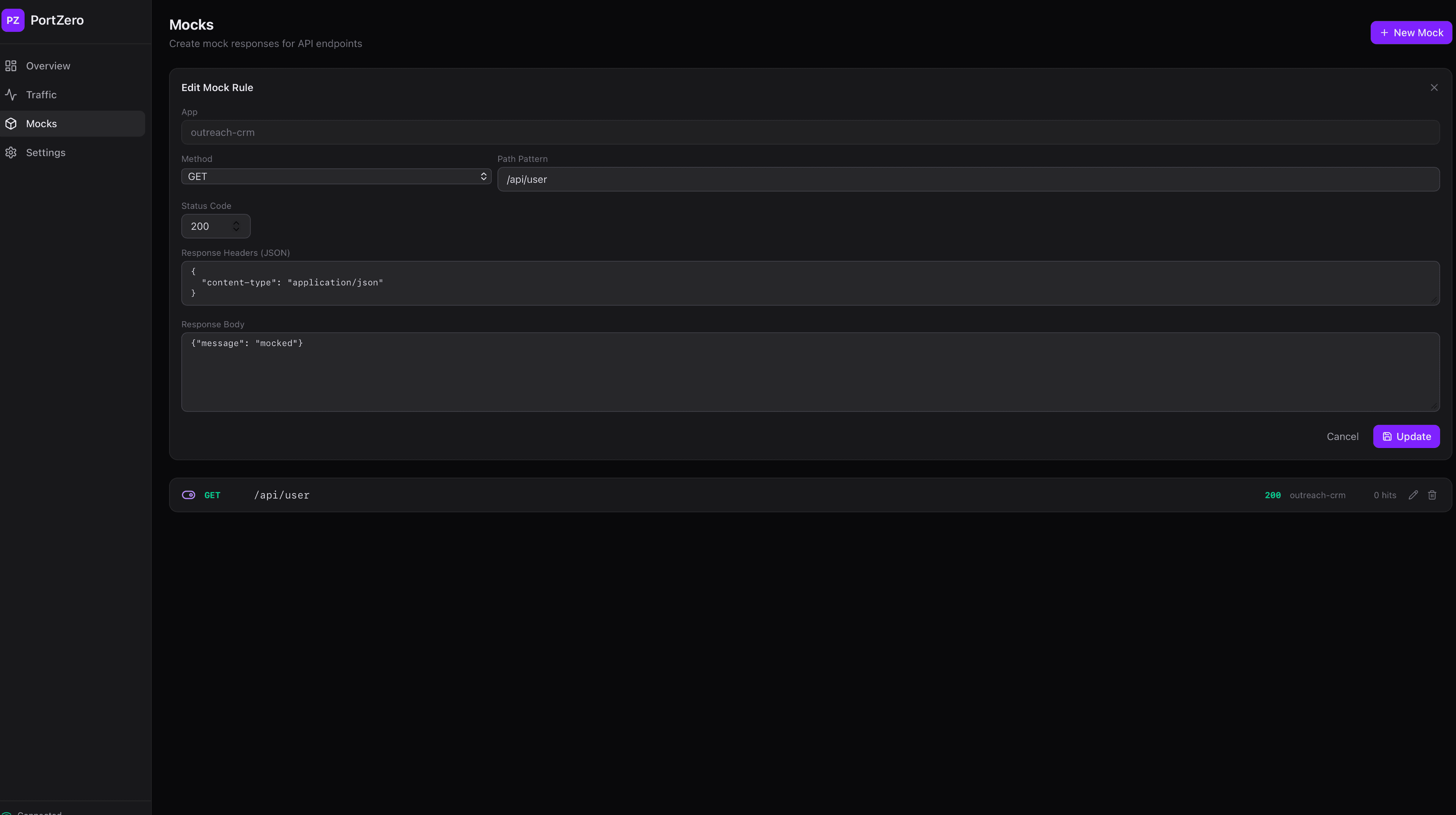
You can also manage mocks via the CLI:
# Create a mock rule
portzero mock add api GET /health --status 200 \
  --body '{"status":"ok"}' \
  -H "Content-Type: application/json"

# List all mocks
portzero mock list --app api

# Enable/disable/delete by ID
portzero mock enable abc123
portzero mock disable abc123
portzero mock delete abc123
Request Interception
Set breakpoints on specific routes to pause, inspect, edit, and forward or drop live requests before they reach the upstream server.
Network Simulation
Test how your app behaves under degraded network conditions. The desktop app provides intuitive sliders for per-app configuration:
- Latency injection -- Add fixed or random delay to responses
- Jitter -- Add randomness to latency for realistic simulation
- Packet loss -- Randomly drop a percentage of requests
- Bandwidth throttling -- Limit response throughput
- Path filtering -- Only apply simulation to matching routes
Via the CLI:
# Add 200ms latency with 50ms jitter
portzero throttle set my-app --latency 200 --jitter 50

# Simulate 10% packet loss
portzero throttle set my-app --drop 0.1

# Clear simulation
portzero throttle clear my-app
API Schema Inference
PortZero passively observes traffic and infers an OpenAPI schema from actual requests and responses. No manual specification needed -- the schema builds up automatically as you use your API.
Public Tunnels (Coming Soon)
This feature is not yet available. It is planned for a future release.
Expose local apps to the internet with a single command. Will support QUIC, WebSocket, and HTTP/2 transport.